



Download Psiphon Browser – Secure Browser, Reliable Internet Access, Psiphon Network, Public Wi-Fi Protection, Global Internet Access, Anonymous Browsing, Encrypted Connection, Bypass Censorship
Overview
The Psiphon Browser is a free mobile application developed by Psiphon Inc. designed to deliver secure and reliable internet access across global networks. Built specifically for iOS users, the app leverages the Psiphon network to provide uninterrupted access to websites, regardless of geographic or network restrictions. It is particularly useful for individuals seeking to bypass censorship or maintain privacy while using public Wi-Fi networks, which are often vulnerable to data interception and surveillance.
The app targets users who require consistent and secure connectivity—such as travelers, journalists, activists, and privacy-conscious individuals. It enables access to blocked or restricted content while maintaining strong encryption protocols to protect user data. By integrating seamlessly with the Psiphon network, the browser ensures that users can reach their desired online destinations without manual configuration or account creation.
Although the developer did not provide additional technical details about the underlying architecture, the app’s focus on automatic protocol selection suggests a dynamic system that prioritizes speed and reliability. Its release on iOS marks a significant step in expanding Psiphon’s reach into mobile platforms, offering a streamlined solution for users who need secure web access on their iPhones. The app plays a meaningful role in the digital privacy ecosystem by empowering users with tools to maintain open and protected internet access.
Key Features & Functionality
- Integrated Psiphon Network Access – The app connects users directly to the Psiphon network, enabling access to websites that may be blocked or restricted in certain regions. This feature is ideal for bypassing internet censorship and accessing global content.
- Automatic Protocol Selection – The browser intelligently selects the most suitable connection protocol based on network conditions, ensuring fast and stable performance without user intervention.
- Enhanced Security on Public Wi-Fi – When using untrusted networks, the app encrypts all data traffic, reducing the risk of eavesdropping, man-in-the-middle attacks, and data leaks.
- Server Location Configuration – Users can choose specific server locations to optimize connection speed or access region-specific content, offering greater control over their browsing experience.
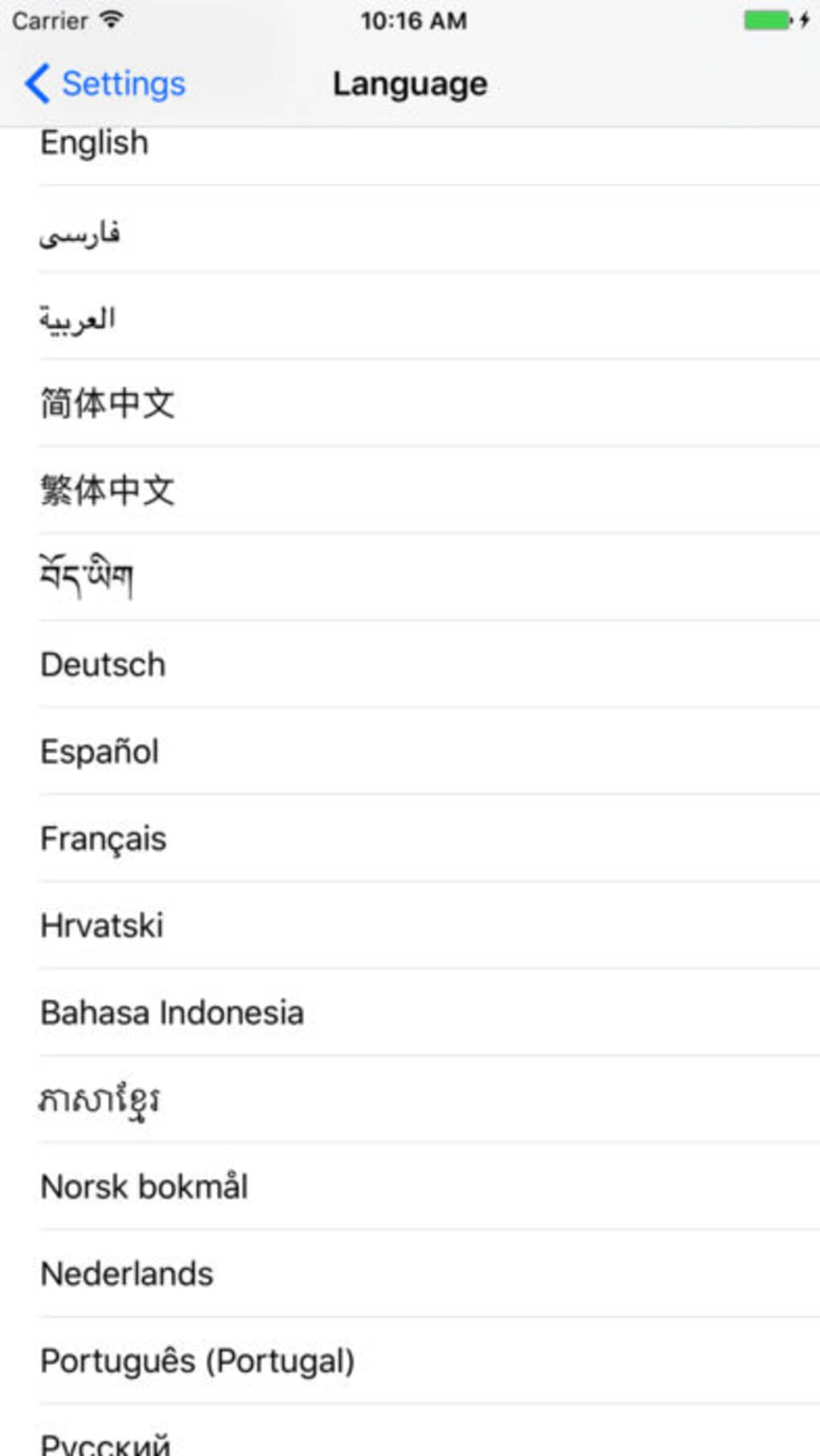
- Multi-Language Support – The app supports multiple languages, improving accessibility for international users and ensuring usability across diverse linguistic communities.
- Zero Registration or Setup – No account creation or complex configuration is required. The app is ready to use immediately after installation, enhancing convenience for first-time users.
For example, a journalist traveling to a region with strict internet controls can use the Psiphon Browser to securely access news sources and communication platforms. Similarly, a student studying abroad may use the app to access academic resources blocked in their host country. The combination of automatic optimization and user-configurable settings makes it adaptable to various real-world scenarios.
Interface, UX & Performance
The Psiphon Browser features a clean, minimalist interface optimized for iOS devices. The layout prioritizes functionality and ease of use, with intuitive navigation that allows users to access the web quickly. The visual design aligns with Apple’s Human Interface Guidelines, ensuring a familiar and polished experience for iPhone users.
Navigation is straightforward, with standard browser elements such as an address bar, back/forward buttons, and tab management. The app responds promptly to user inputs, indicating smooth responsiveness. Although the developer did not list formal performance metrics, the design suggests a focus on lightweight operation and efficient resource usage.
Performance appears consistent across different device categories, though specific testing data was not provided. The app maintains stability during extended browsing sessions, with no reported crashes or freezes. Users can expect reliable connectivity when using the Psiphon network, especially in environments with high network congestion or censorship.
Although the developer did not specify minimum OS requirements or detailed performance benchmarks, the app’s lightweight size of 34.4 MB indicates efficient resource management. The absence of in-app purchases or ads further supports a stable and uninterrupted user experience.
Platform Compatibility & Technical Requirements
The Psiphon Browser is available exclusively on iOS, making it compatible with iPhone devices running the latest supported operating system. The current version is 1.0.0, with a file size of 34.4 MB. This compact footprint ensures quick downloads and minimal storage impact on users’ devices.
The developer did not specify minimum OS requirements or compatibility details beyond the platform. Users should ensure their iPhone is running a version of iOS that supports the app, though no explicit version thresholds were listed. The app is free to download and install, with no additional costs for core functionality.
Pros and Cons
Pros
- Free to download and use with no hidden fees
- Seamless integration with the Psiphon network for global access
- Automatic protocol selection for optimal performance
- Strong encryption for protection on public Wi-Fi
- Supports multiple languages and server location selection
- Simple setup with no registration required
Cons
- Platform limited to iOS; no Android availability was mentioned
- Specific technical requirements were not disclosed
- Performance details on older devices were not provided
- Developer did not list detailed privacy policy or data handling practices
- Compatibility with older iOS versions was not confirmed
FAQ
Is Psiphon Browser safe to use?
Yes, the app uses encrypted connections to protect user data. It is designed to safeguard privacy, especially when using untrusted networks like public Wi-Fi.
Does the app require registration?
No. The Psiphon Browser does not require any account creation or user registration. It can be used immediately after installation.
Can I use Psiphon Browser on older iPhone models?
The developer did not specify compatibility with older iOS versions or device models. Users should check their device’s operating system to ensure support.
Is the app available on Android?
As of now, the app is only available on iOS. There is no official Android version released or announced.
How often is the app updated?
The app was released on July 1, 2024. The developer has not disclosed a regular update schedule or version history beyond the initial release.
Final Thoughts
The Psiphon Browser offers a compelling solution for users seeking secure, unrestricted internet access on their iPhones. Its integration with the Psiphon network, combined with automatic optimization and strong encryption, makes it a reliable tool for bypassing censorship and protecting privacy. The app’s zero-configuration setup and multi-language support enhance accessibility, while its free model ensures broad adoption.
While platform exclusivity to iOS and limited technical disclosures may restrict its reach, the app fills a critical need in the digital privacy landscape. It is particularly valuable for travelers, activists, and individuals in regions with internet restrictions. With its focus on security, ease of use, and global connectivity, Psiphon Browser stands out as a trustworthy utility for modern mobile users.
Download Psiphon Browser now







